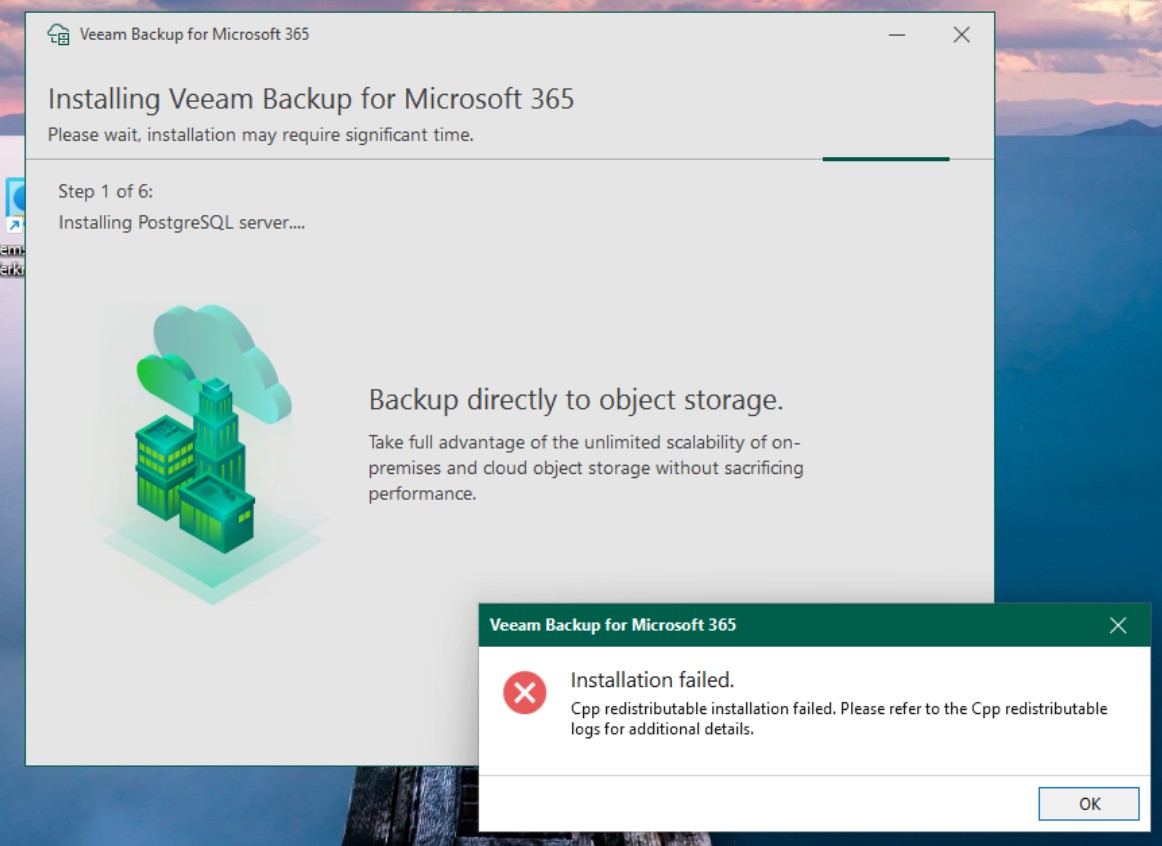
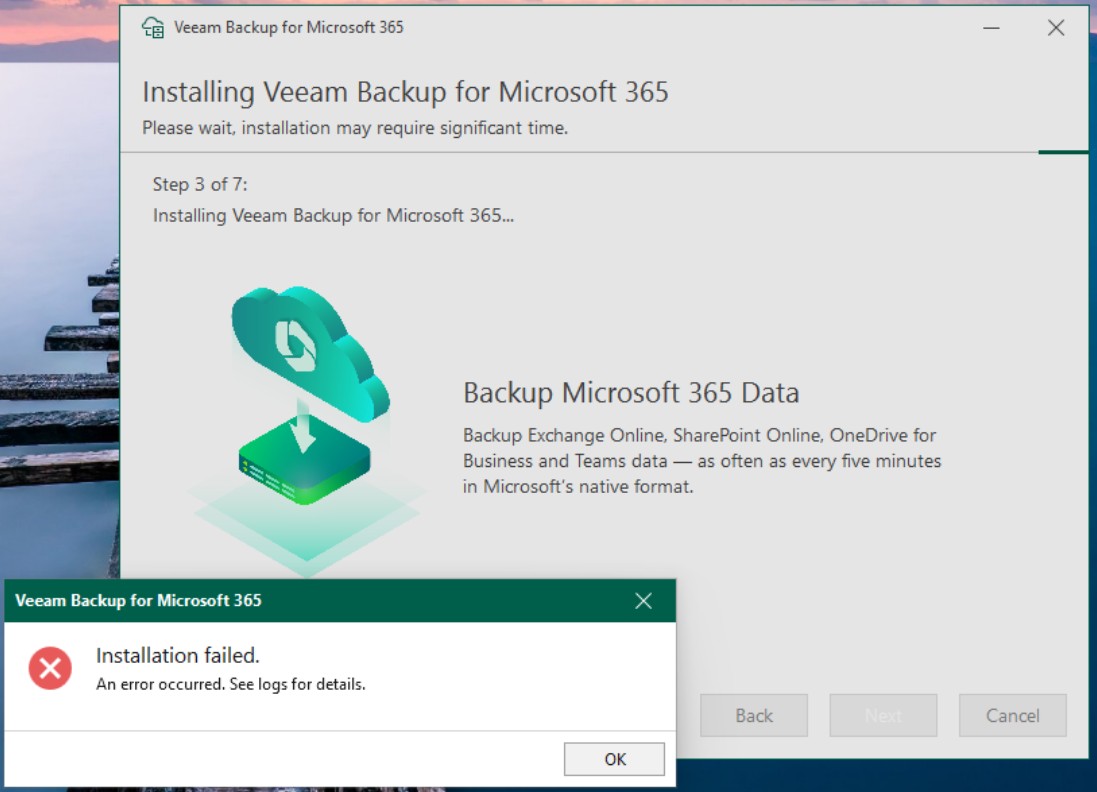
I tried both
VeeamBackupMicrosoft365_8.2.0.2202.iso
VeeamBackupMicrosoft365_8.3.0.2201.iso
First problem is installation fails because a newer version of the C++ Runtime libraries is installed on the system. I removed the newer versions and installed the old ones from the iso, then the installation proceeds. But after quite a while of doing install stuff it aborts.
I think this is the relevant info from the install log
Code: Select all
MSI (s) (F8:90) [22:20:01:365]: Changing configuration of service Veeam.Archiver.Update.Service.
MSI (s) (F8:90) [22:20:01:365]: Changed configuration of service Veeam.Archiver.Update.Service with ConfigType SERVICE_CONFIG_FAILURE_ACTIONS_FLAG
MSI (s) (F8:90) [22:20:01:365]: Done changing configuration of service Veeam.Archiver.Update.Service
MSI (s) (F8:90) [22:20:01:365]: Executing op: ActionStart(Name=ConfigureArchiverServicesAccount,,)
MSI (s) (F8:90) [22:20:01:367]: Executing op: CustomActionSchedule(Action=ConfigureArchiverServicesAccount,ActionType=1025,Source=BinaryData,Target=ConfigureArchiverServicesAccount,CustomActionData=INSTALLDIR=C:\Program Files\Veeam\Backup365\;SERVICEACCOUNT_USERNAME=LocalSystem)
MSI (s) (F8:40) [22:20:01:371]: Invoking remote custom action. DLL: C:\Windows\Installer\MSIA5A8.tmp, Entrypoint: ConfigureArchiverServicesAccount
SFXCA: Extracting custom action to temporary directory: C:\Windows\Installer\MSIA5A8.tmp-\
SFXCA: Binding to CLR version v4.0.30319
Calling custom action Veeam.Archiver.Setup.CustomActions!Veeam.Archiver.Setup.CustomActions.CustomActions.ConfigureArchiverServicesAccount
MSI (s) (F8:90) [22:20:02:398]: Executing op: ActionStart(Name=StartArchiverService,Description=Starting service: Veeam Backup for Microsoft 365 Service,)
Configuring the service account...
MSI (s) (F8:90) [22:20:02:399]: Executing op: CustomActionSchedule(Action=StartArchiverService,ActionType=3073,Source=BinaryData,Target=WixQuietExec64,CustomActionData="NET.EXE" START "Veeam.Archiver.Service")
MSI (s) (F8:8C) [22:20:02:400]: Invoking remote custom action. DLL: C:\Windows\Installer\MSIA9B0.tmp, Entrypoint: WixQuietExec64
WixQuietExec64:  Der Dienst reagiert auf die Kontrollfunktion nicht.
WixQuietExec64:
WixQuietExec64:  Sie erhalten weitere Hilfe, wenn Sie NET HELPMSG 2186 eingeben.
WixQuietExec64:
WixQuietExec64:  Error 0x80070002: Command line returned an error.
WixQuietExec64:  Error 0x80070002: QuietExec64 Failed
WixQuietExec64:  Error 0x80070002: Failed in ExecCommon method
CustomAction StartArchiverService returned actual error code 1603 (note this may not be 100% accurate if translation happened inside sandbox)
MSI (s) (F8:90) [22:20:32:783]: Note: 1: 2265 2:  3: -2147287035
MSI (s) (F8:90) [22:20:32:783]: User policy value 'DisableRollback' is 0
MSI (s) (F8:90) [22:20:32:783]: Machine policy value 'DisableRollback' is 0
Action ended 22:20:32: InstallFinalize. Return value 3.
MSI (s) (F8:90) [22:20:32:784]: Note: 1: 2318 2:
MSI (s) (F8:90) [22:20:32:792]: Executing op: Header(Signature=1397708873,Version=500,Timestamp=1545974391,LangId=1033,Platform=589824,ScriptType=2,ScriptMajorVersion=21,ScriptMinorVersion=4,ScriptAttributes=1)
MSI (s) (F8:90) [22:20:32:792]: Executing op: DialogInfo(Type=0,Argument=1033)
MSI (s) (F8:90) [22:20:32:793]: Executing op: DialogInfo(Type=1,Argument=Veeam Backup for Microsoft 365)
MSI (s) (F8:90) [22:20:32:793]: Executing op: RollbackInfo(,RollbackAction=Rollback,RollbackDescription=Rolling back action:,RollbackTemplate=[1],CleanupAction=RollbackCleanup,CleanupDescription=Removing backup files,CleanupTemplate=File: [1])
MSI (s) (F8:90) [22:20:32:793]: Executing op: ActionStart(Name=StartArchiverService,Description=Starting service: Veeam Backup for Microsoft 365 Service,)
MSI (s) (F8:90) [22:20:32:793]: Executing op: ProductInfo(ProductKey={0F2C8F0E-9217-465E-AB58-A9A0ED118849},ProductName=Veeam Backup for Microsoft 365,PackageName=Veeam.Backup365.msi,Language=1033,Version=218234880,Assignment=1,ObsoleteArg=0,ProductIcon=Archiver.ico,PackageMediaPath=\Backup\,PackageCode={3765E2B4-2FA8-43AE-9E64-E2EEAA565D86},,,InstanceType=0,LUASetting=0,RemoteURTInstalls=0,ProductDeploymentFlags=3)"Der Dienst reagiert auf die Kontrollfunktion nicht" => "The service does not respond to the control function"
It's a fresh W11 install inside Proxmox. Nothing really installed on the system except the virtio guest drivers and agent.