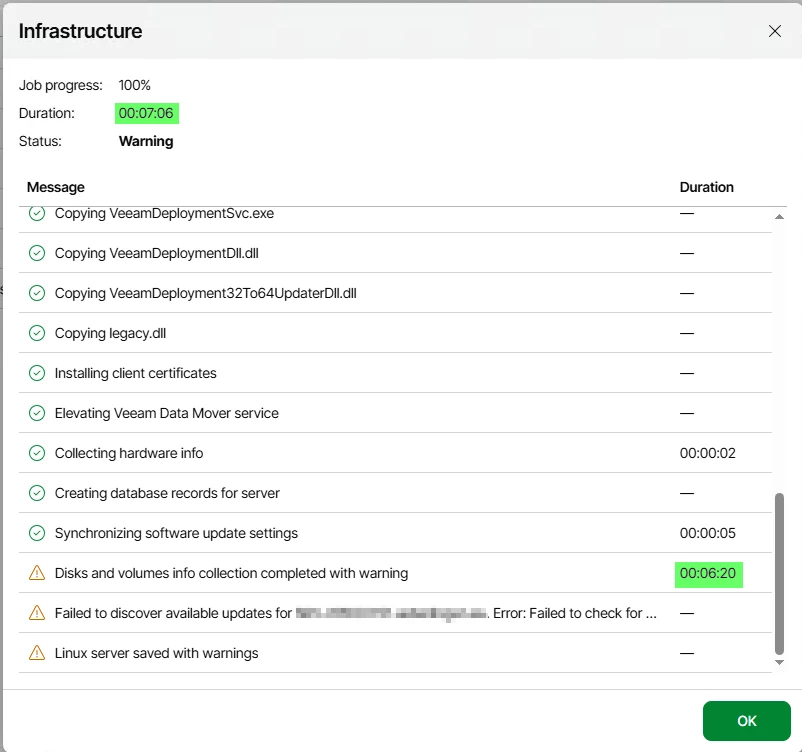
Hi Peter, Matze,
the KB is published now:
https://www.veeam.com/kb4916
On a Windows VBR server, create SkipInfrastructureApplianceUpdateCheck (DWORD, value 1) under HKEY_LOCAL_MACHINE\SOFTWARE\Veeam\Veeam Backup and Replication.
On a Veeam Software Appliance, add SkipInfrastructureApplianceUpdateCheck=1 to the [root] section of /etc/veeam/veeam_backup_and_replication.conf with Host Management Console. No service restart is required in either case.
Please note: the setting suppresses both the update check and the automatic installation of security updates while an appliance
is being added. So it removes the timeout you were hitting, but you will want to make sure updates get applied separately afterwards, either through the Veeam Updater or your centralized mirror.